
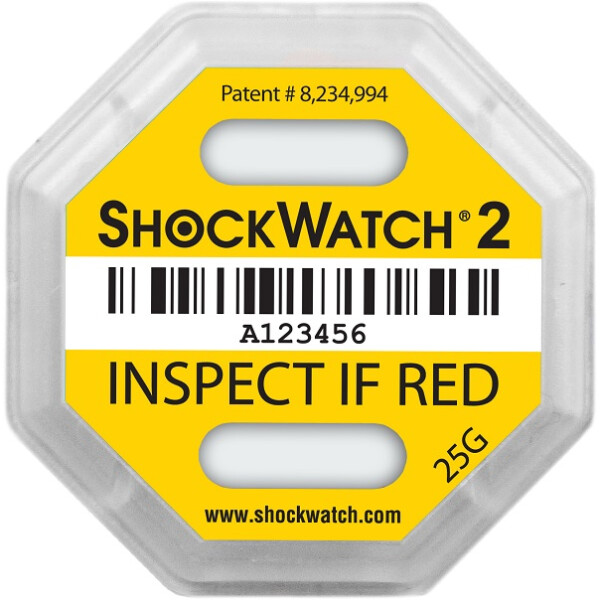
ShockWatch2 yellow, 25g
- For large quantities - ask for quotation
- sales@etronix.se
- SKU79SW25
Description
Article no.: TCI-79SW25
ShockWatch 2: mechanical shock indicator for a wide range of applications and weights up to several tons
The Shockwatch 2 is an addition to the well-known Shockwatch Label, which extends the range of applications for low-cost transport monitoring.
The Shockwatch 2 with 25g / 50 ms (yellow) has been designed for monitoring heavier and larger packages, for example 1 ton with a volume of approx. 3 cubic meters.
Another advantage is the activation of the indicator. Compared to the ShockWatch labels, which are always "active", the ShockWatch 2 is only activated before it is attached to the shipping goods. This enables uncomplicated transportation to the place of use and simplified handling of the indicators before use. They are self-adhesive and are activated by removing the protective film on the back.
The triggering behavior of the ShockWatch 2 is primarily defined for the vertical (perpendicular) impact axis. The label is triggered or discolored in the impact angle range between 45° and 90° to the floor. It must be attached so that the two indicator windows are at the top and bottom.
Packaging
- Carrier confirms that the ShockWatch 2 is intact when accepting the goods
- Goods receiving department checks shock indicator on delivery
- The freight forwarder must confirm a triggered or missing indicator on delivery and does not receive a pure receipt
- After a thorough inspection of the product, a release or transport damage processing takes place
Choosing the right Shockwatch 2 indicator
To ensure that the Shockwatch 2 indicators do not trigger too early or too late, it is important to select the right indicator for the transport monitoring of your package. The following table offers you a differentiated selection option to suit your individual requirements:
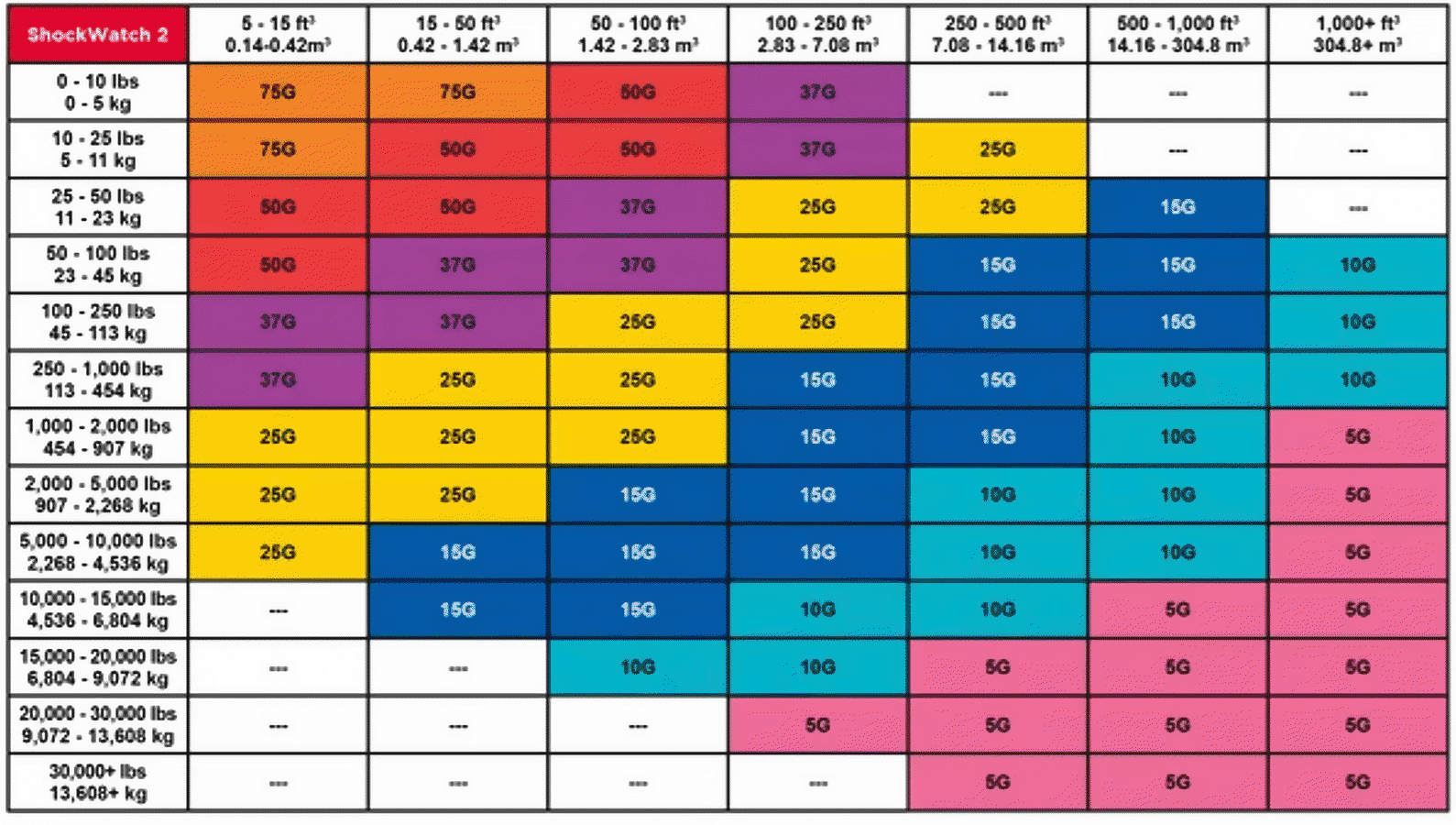
The starting point for selecting the right Shockwatch 2 indicator is the size of the package in cubic meters (L x W x H) and the total weight, including packaging, of your package. Select the weight range in the left-hand column and the volume range in the top line. Extend both fields with an "imaginary line" and read off the corresponding sensitivity value. The determined color field represents the respective g-value.
Small delivery note sticker
Each Shockwatch 2 indicator comes with a small delivery note sticker, which is included in the packaging of the Shockwatch indicators. Simply stick it on your delivery bill to provide an additional reference for checking the Shockwatch label on the package when the goods are accepted by the carrier or end customer.